

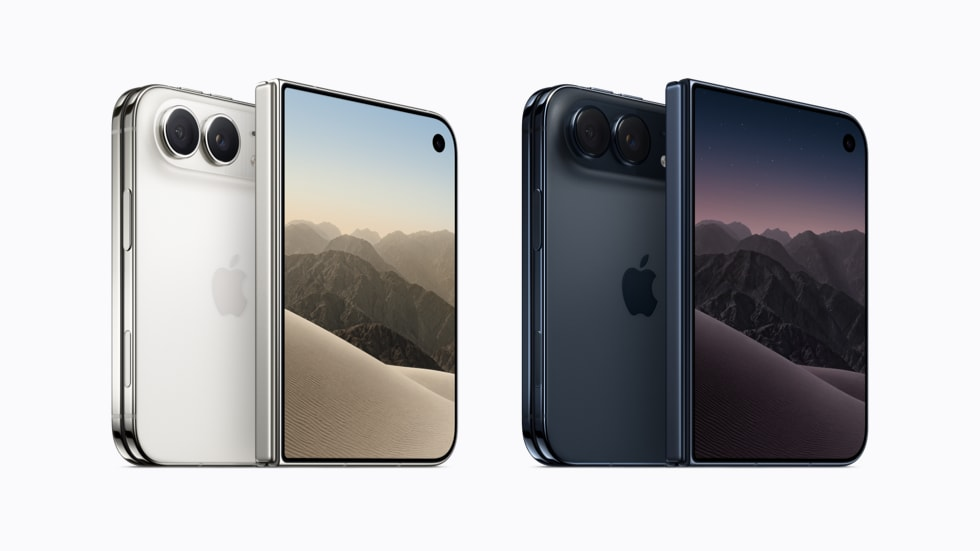
Apple has introduced several customization options for the iPhone Duo, its first foldable smartphone, allowing users to adjust fingerprint authentication, screen navigation, physical controls, and camera functions. The settings address everyday usability challenges associated with the device’s folding design and its reliance on Touch ID instead of Face ID.
The iPhone Duo, introduced in September 2026, features a 7.6-inch inner display and a 5.4-inch outer screen. Strong demand has created supply constraints, while early testing has identified several settings that can make the device easier to operate in different orientations.
Touch ID Settings Improve Authentication
Unlike recent iPhone models that use Face ID, the Duo integrates a Touch ID fingerprint sensor into its side button. Users can register additional fingerprints through Settings, under Touch ID & Passcode, to accommodate different ways of holding the device when folded or unfolded.
Apple Watch owners can also enable Unlock with Apple Watch, allowing a nearby, passcode-protected watch to authenticate the phone. Another option, Rest Finger to Open, lets users unlock the device by placing a registered finger on the sensor without pressing the button.
Display and Accessibility Features Simplify Navigation
The Duo includes configurable volume buttons that can change their functions according to device orientation. Disabling Fixed Position Volume Controls under Settings > Sounds & Haptics allows the upper or right-hand button to increase volume regardless of how the phone is rotated.
Users can also configure Back Tap under Accessibility > Touch to capture screenshots with a double or triple tap on the device’s rear surface. This provides an alternative to pressing the side and volume buttons simultaneously.
The Reachability feature, enabled by default, helps users access content on the opposite side of the Duo’s wide display. Unlike conventional iPhones, which shift content downward, the Duo allows users to bring the left or right side of the interface closer.
An additional automation can lock the device automatically when folded shut. Users can create this behavior through Apple’s Shortcuts app by selecting the Opened or Closed trigger and assigning the Lock Screen action.
Camera Controls Offer Additional Customization
The iPhone Duo also allows users to reorganize camera controls directly within the Camera app. Through the six-dot Camera Controls menu, users can add or rearrange shortcuts for flash, Live Photos, Night Mode, and other frequently accessed functions.
Its Smart Take feature supports hands-free photography by detecting movement and changes in subjects’ poses before automatically capturing images. Users who prefer not to have the flash blink during these sessions can disable Flash During Capture under Settings > Camera.
These options are available through the Duo’s existing software and accessibility settings, without requiring additional applications or accessories.
Featured image credits: Apple
For more stories like it, click the +Follow button at the top of this page to follow us.